
How to Decommission a Data Center in Houston: A Step-by-Step ITAD Checklist
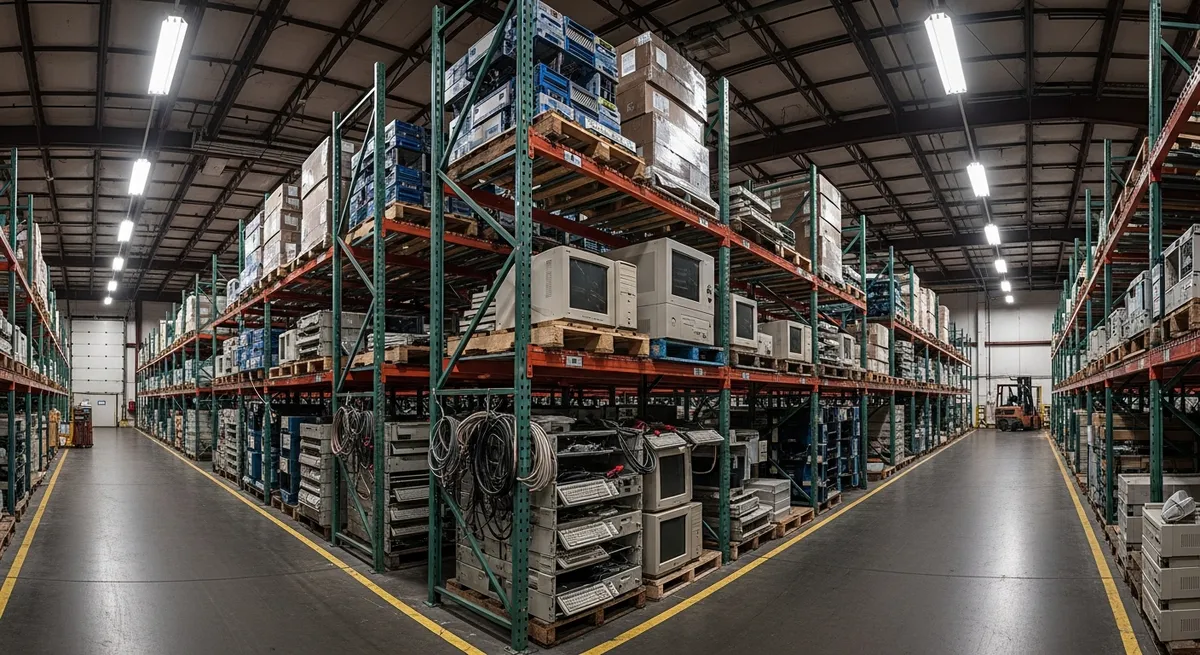
Decommissioning a data center or a large server room is a massive undertaking for any Houston enterprise. It requires meticulous planning, precise execution, and strict adherence to data security protocols. Whether you are migrating to the cloud, consolidating facilities, or simply upgrading your hardware, a structured IT Asset Disposition (ITAD) strategy is essential to ensure a smooth transition and mitigate risk.
Why Proper ITAD Matters at Data Center Scale
At data center scale, the consequences of cutting corners on asset disposition multiply quickly. A single overlooked storage array can contain terabytes of sensitive business data. A server removed without proper documentation can create a compliance gap that surfaces months later during an audit. And bulk equipment handed to an uncertified hauler creates legal liability that far exceeds any cost savings.
Houston enterprises operating in regulated industries face additional exposure under HIPAA, GLBA, SOX, and the Texas Identity Theft Enforcement and Protection Act. Our Texas e-waste compliance guide covers the full legal landscape for businesses in this region. The financial cost of a data breach for a Houston business makes proper ITAD one of the highest-ROI risk management decisions available.
The Step-by-Step ITAD Checklist
Step 1: Create a Complete Asset Inventory
Before a single cable is touched, document every asset slated for decommissioning. This inventory is your baseline for everything that follows - data destruction verification, chain of custody tracking, and regulatory compliance.
Your inventory should capture for each asset:
- Asset type (server, switch, router, firewall, storage array, UPS, etc.)
- Manufacturer, model, and configuration
- Serial number and existing asset tag
- Physical location within the facility (rack, row, data hall)
- Whether it contains storage media (HDDs, SSDs, flash, tape)
- Current network or system assignment
Do not rely on outdated CMDB records. Physical verification is essential - equipment inventories drift over time, and untracked assets are a common source of compliance failures.
Step 2: Develop a Data Destruction Plan
Every storage device identified in your inventory must be assigned a destruction method before physical work begins. All data sanitization must follow NIST 800-88 guidelines - the current federal and industry standard for media sanitization. Key decisions at this stage:
| Media Type | NIST 800-88 Method | Notes |
|---|---|---|
| Spinning HDDs (functional) | Purge (overwrite + degauss) | Can be refurbished after purge |
| SSDs and NVMe (functional) | Purge via ATA Secure Erase or Cryptographic Erase | Overwrite passes are insufficient for SSDs |
| Tape media | Degauss or physical destruction | Degaussing renders tape unusable |
| Damaged / unresponsive drives | Physical destruction (shredding) | Cannot be wiped; must be shredded |
| Flash / embedded storage | Cryptographic Erase or physical destruction | Network switches, firewalls, IoT devices |
See our detailed comparison of hard drive shredding vs. data wiping for guidance on selecting the right method for each asset type. Require a Certificate of Data Destruction for every storage device processed.
Step 3: Sequence the Shutdown and Deprovision
Physical removal must follow a careful sequence to avoid disrupting dependent systems and to protect staff working with heavy, densely packed rack equipment:
- Deprovision virtual machines, containers, and workloads from the physical hosts first
- Remove network connectivity and update routing before physical disconnection
- Power down equipment following the manufacturer's shutdown sequence
- Label every cable before removal - unlabeled cable removal causes re-installation delays and safety hazards
- Use proper rack rail removal tools; heavy servers require two-person lifts or mechanical assists
- Bag and tag all accessories (rails, cables, power cords, bezels) with the parent asset serial number
Step 4: Stage and Secure Equipment for Transport
Once equipment is removed from racks, it must be staged securely before transport. This is a high-risk period - equipment that has been data-wiped but not yet transported is still in your custody and your responsibility:
- Store staged equipment in a locked, access-controlled area
- Do not mix decommissioned equipment with active production assets
- Maintain your inventory documentation at the staging area so each asset can be verified at pickup
- Photograph staged equipment for your records
Step 5: Arrange Certified Recycling and Final Pickup
The final stage - transporting bulk IT equipment to a certified recycling facility - is where many Houston enterprises run into logistics problems. Commercial ITAD transport requires:
- A certified recycler with documented chain of custody processes
- Vehicles and handling equipment appropriate for heavy server and rack equipment
- A certified facility (R2 Certification is the industry benchmark) to receive and process the equipment
- Final weight manifest and processing documentation for your compliance records
At Free E-Waste Pickup Houston, we provide free, professional pickup for commercial locations throughout Houston and the surrounding metro area. Our team handles the heavy lifting - servers, storage arrays, networking equipment, UPS systems, and all associated IT hardware. All equipment is transported to our R2 Certified facility and processed under verified environmental health and safety standards.
Common Data Center Decommission Mistakes to Avoid
- Starting physical removal before data destruction is complete. Equipment must not leave your facility until all storage media has been wiped or flagged for on-site shredding.
- Relying on CMDB records alone. Physical audits almost always uncover assets not reflected in configuration management databases.
- Using uncertified haulers to save on transport costs. The liability exposure from a chain-of-custody failure dwarfs any logistics savings.
- Forgetting embedded storage. Network switches, firewalls, and load balancers often contain flash storage with routing tables, credentials, and configuration data.
- Not requesting certificates. A Certificate of Data Destruction and a final asset manifest are required for most regulated industry audits - request them before the truck leaves.
What We Handle
Our free commercial pickup service accepts the full range of data center hardware. Check our full list of accepted items for specifics. Common data center assets we handle include servers, blade chassis, storage arrays, NAS and SAN equipment, network switches and routers, firewalls, load balancers, UPS systems, PDUs, and associated cabling.
We serve commercial locations throughout Houston, Katy, The Woodlands, the Energy Corridor, the Galleria, and across the greater Houston area. We do not accept residential items or appliances.
Have questions about your specific decommission project? Visit our FAQ page or contact us directly to discuss scope and scheduling.
Ready to Start Your Decommission?
Free professional pickup for servers, storage, and networking equipment throughout the Houston metro area. Certified recycling, full documentation, zero cost.
Find our articles useful? Add Free E-Waste Pick Up Houston as a preferred source on Google.